Current Commit Message Generation
Introduction
This section introduces the Current Commit Message Refinement feature in the Commit Analyzer tab.
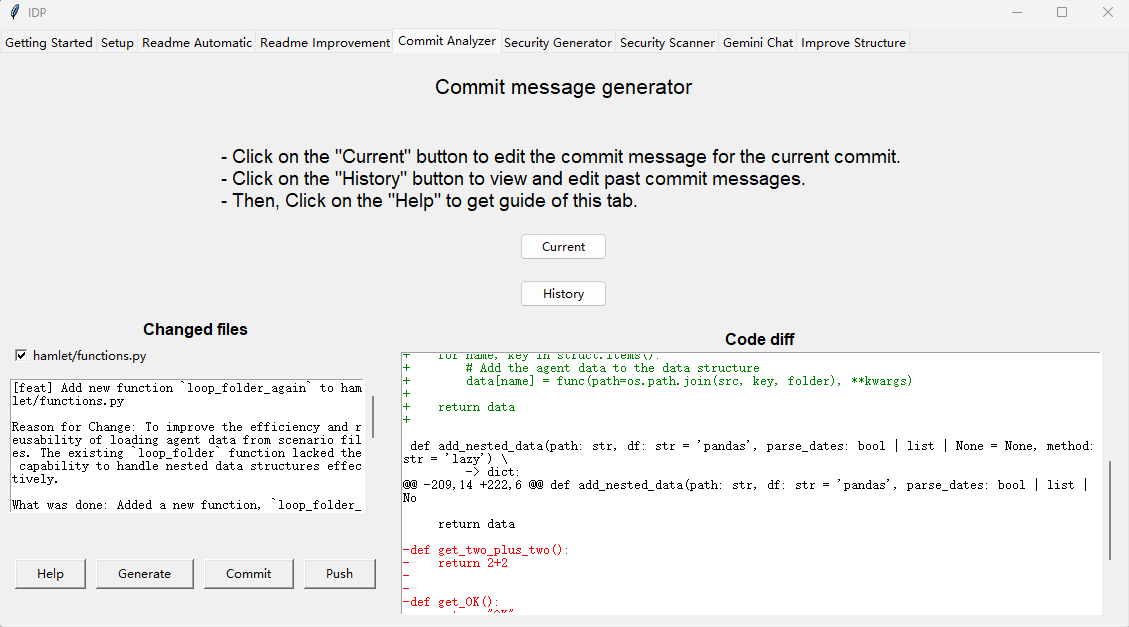
Left Frame: Changed Files
A list of changed files will be displayed here. You can select which files you want to include in the commit.
Help: Display basic instructions for using this tab.
Generate: Generates a commit message based on the code diff of the selected files. The generated message will be displayed above, and you can edit it as needed.
Commit: Commit the selected files with the generated commit message.
Push: Push the committed changes to the remote repository.
Right Frame: Code Diff
This frame displays the code differences (diff) for the selected files.
Green text indicates lines of code that have been added.
Red text indicates lines of code that have been removed.